


Driver Written Test: 2026 Test
4.78.51K Reviews
App Specs
- Version
- 2.3.0
- Updated On
- License
- Free
- Downloads
- 1,000,000+
- Developer
- DMV Written Test
- Categories
- Education
- Platform
- Android
Screenshots
 Analysis by AppCompare
I judge a learner-test app by more than how many questions it offers. It also needs to make practice manageable when someone is tired, short on time, or learning in a second language. Driver Written Test: 2026 Test is an education app from DMV Written Test, and its mix of practice and review is aimed at people preparing for a written driving exam. I find that combination most useful when it supports steady learning rather than last-minute guessing.
Readable practice works best in short sessions
In my experience, the app’s straightforward layout makes it easier to get to a practice test or study guide without navigating a complicated course. That matters for new drivers who may already be juggling a learner’s permit, lessons, and official materials. Its free price also makes it easy to try as a supplement before deciding whether its approach suits your study habits. The app is rated for Everyone, though that does not necessarily mean every screen or study method will work equally well for every learner.
A useful way to approach the questions is to treat each session as a diagnosis, not a score chase. When I get an answer wrong, I would pause over the explanation and name the rule or sign that led to the mistake. Then I would revisit that topic in the study guide before taking another test. This turns a missed question into a specific review task, rather than encouraging me to retake quizzes until I happen to remember the answer.
Small adjustments for different ways of learning
Written practice naturally favors people who can comfortably read questions and select answers on a screen. If that is not your strongest way to learn, I would use the app in shorter bursts and pair it with another format, such as an official handbook, a spoken explanation from an instructor, or a conversation with someone who can clarify unfamiliar terms. The explanations may help connect a correct choice to its reasoning, but reading an explanation is not the same as seeing a road situation unfold.
For learners who need larger text, less visual clutter, screen-reader support, or other specific accommodations, I would check the app on your own device before relying on it as your main study tool. The important practical question is whether you can comfortably read a full question, compare the answer choices, and review the explanation without strain. If not, an official handbook or another study method that better fits your needs should take the lead.
Useful in real schedules, with a clear boundary
The anytime study format is a good fit for spare moments: a quiet break at home, a few minutes before an appointment, or a ride as a passenger. I would avoid trying to study while driving, cycling, or walking through busy areas; test preparation deserves attention, and safe travel comes first. If noise or distractions make reading difficult, saving practice for a calmer place is likely to be more productive than forcing a session in every gap.
This is preparation for written knowledge, not a substitute for supervised driving practice or the current rules issued by your local licensing authority. State requirements and test details can differ, so I would use the app to identify subjects to review and then check important requirements against the official source for my state. That extra step is especially worthwhile before booking an exam or relying on a particular rule.
Worth Reading Before You Choose

EA SPORTS FC Mobile 26 Is a Bigger Football Game, but It Takes Time

Flipboard Shows What News Apps Must Do Beyond the Feed

Switching to Android Auto Means Rethinking Your Driving Routine

Google Calendar Makes a Crowded Week Easier to Manage

Ludo King Makes the Most of the Minutes Between Plans

Baby Panda World Brings Quick Play to Modern Phones, but Its Game Library Feels Busy
Who is likely to get the most from it?
I would recommend giving it a try if you are preparing for a permit or driver-knowledge test and want practice questions with explanations, plus a guide for reviewing topics. It can also suit someone returning to study after a long break, provided they use it to find weak areas rather than assume a high practice score guarantees readiness. The app has a 4.7 average from around 100,000 ratings, with over 1 million installs, so it has reached a substantial audience; those figures are context, not proof that its material matches every person’s state exam or learning needs.
If you already learn better from a printed manual, need accessible formats the app does not work well with on your device, or want detailed instruction behind the wheel, a handbook, instructor, or other resource may be a better primary choice. I see the strongest role for this app as a convenient practice companion, not a one-stop replacement for every part of driver education.
First Impressions Matter
As soon as I launched the Driver Written Test: 2026 Test app, I was greeted with a sleek and user-friendly interface. It was refreshing to see how intuitively everything was organized. From practice tests to study guides, everything was just a tap away. The app has a neat layout, which made navigation a breeze, and I didn't have to spend ages figuring out where everything was.
Diving into Features
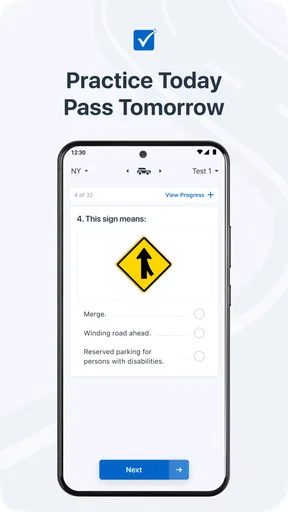
One of the standout features of this app is the comprehensive practice tests. They mirror the actual test format, so you get a real feel of what to expect on the big day. I loved how the app covers a wide range of topics – from road signs to traffic laws. It’s like a crash course (pun intended) in driving theory.
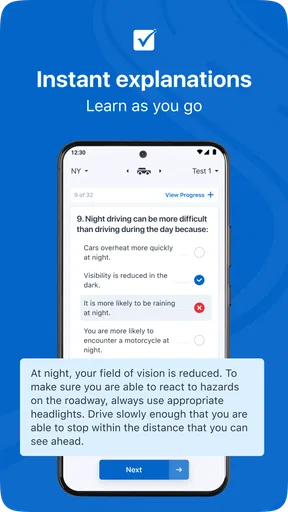
Another thing worth mentioning is the detailed explanations provided for each question. If you get an answer wrong, the app doesn’t just leave you hanging. It offers a thorough explanation, helping you understand the concept behind each question. This feature is fantastic for reinforcing learning and ensures you don’t make the same mistake twice.
Study at Your Own Pace
The app also includes a study guide section, which is perfect for when you want to dive deeper into specific topics. Whether you’re brushing up on road signs or need a refresher on safety regulations, this section has you covered. The best part? You can study anytime, anywhere. Whether you’re on the bus or chilling at home, you can conveniently fit in some study time.
For a more deliberate routine, I would alternate between a test and targeted guide review instead of repeating full tests back-to-back. For example, if a round exposes confusion about signs, spend the next session reviewing signs and explain to yourself why each symbol matters. That simple habit makes the guide part of an active study plan, rather than a section you open only when you are already frustrated. It also helps distinguish a genuine understanding of a rule from recognition of a familiar answer.
Progress Tracking and Motivation
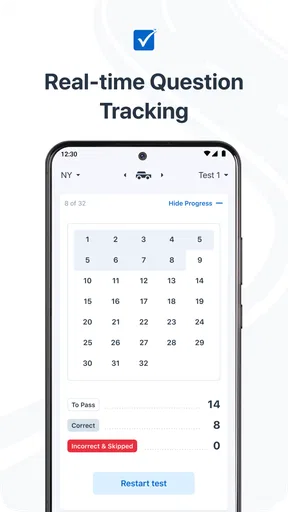
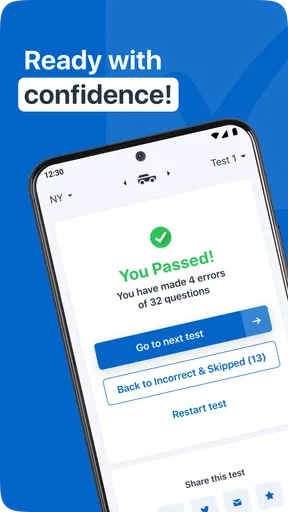
Keeping track of your progress is key, and this app does it beautifully. There’s a nifty progress tracker that shows you how much you’ve improved over time. It’s pretty motivating to see your scores improve and gives you that little boost to keep going. Plus, knowing where you stand helps identify areas that need more attention.
I would read a rising score as a useful signal, not a guarantee. A familiar question can feel easy because I remember its wording, while a differently phrased question may still expose a gap in understanding. To keep the tracker meaningful, I would leave some time between attempts, focus on the subjects that have caused errors, and ask whether I can explain the rule without looking at the answer. That is a more dependable readiness check than chasing a perfect practice result.
A Few Handy Extras
The app also throws in some handy extras, like reminders for when your actual test is approaching. It’s little things like this that make a big difference. There’s even a community forum where you can connect with other users. Share tips, ask questions, or just vent about the stress of test-taking – it’s a supportive space for all future drivers.
I would use reminders as a nudge to make a study plan, not as a reason to cram everything near exam day. A practical routine could be a brief review on several separate days, with one session reserved for the topics that still feel uncertain. The forum can add encouragement and peer perspectives, but I would verify advice about state-specific rules against official material rather than treating another learner’s experience as the final word.
Compatibility and practical trade-offs
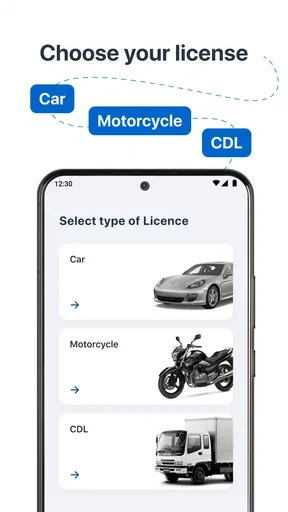
The app is free, and its current version is 2.2.4; it runs on Android 6.0 and newer. It was released on February 2, 2020, and is focused on permit practice, learner preparation, and commercial driver knowledge across states. That breadth is convenient if you are exploring which exam path applies to you, but it also makes checking that you are studying the right state and license material an important first step. A broadly useful practice tool cannot replace confirming local requirements.
Compared with a state handbook, the app offers a more interactive way to test recall and revisit mistakes; the handbook remains valuable for precise, official wording and local details. Compared with a driving instructor, the app is available for independent written practice but cannot observe how you handle a vehicle. I would combine resources according to the task: use questions to find knowledge gaps, official material to settle rules, and an instructor or supervised practice for skills on the road.
One everyday routine I can imagine is a learner using a short break after school or work to answer questions, noting a couple of topics that felt uncertain, then checking those topics in the guide later in a quieter setting. Before the test, they can use the progress view to decide what deserves another pass instead of spending equal time on everything. This is especially helpful when study time is scattered, but it only works if the learner resists treating the app’s score as a substitute for checking the relevant state material.
Final Thoughts
Overall, the Driver Written Test: 2026 Test app is a robust tool for anyone gearing up for their driving test. It’s packed with features that make learning convenient and effective. Whether you're a first-time test-taker or someone looking to refresh their knowledge, this app is definitely worth checking out.
So, if you're ready to boost your confidence and walk into that test with your head held high, give this app a try. It's like having a personal driving coach ready to help you every step of the way. Happy studying, and here’s to safe driving!
My recommendation comes with one practical condition: use it as a study aid alongside the official rules for your state, and choose a different primary resource if its reading experience or format is uncomfortable for you. For learners who can use it comfortably, the combination of practice, explanations, topic review, and progress feedback makes it a sensible place to organize written-test preparation. Focused review beats repeated guessing, and that is the habit I would carry from the app into the exam.
Pros
- Comprehensive question database.
- User-friendly interface.
- Regular content updates.
- Customizable practice tests.
- Track progress over time.
Cons
- Limited free features.
- Occasional ads disrupt flow.
- Some questions lack explanations.
- Requires internet connection.
- No offline mode available.
FAQs for Driver Written Test: 2026 Test
What features does the Driver Written Test: 2026 app offer?
The Driver Written Test: 2026 app provides a comprehensive set of features, including practice tests based on your local DMV guidelines, a study mode with detailed explanations, and progress tracking to monitor your improvement. Additionally, the app includes a flashcard section to reinforce learning and a mock test mode to simulate the actual exam environment.
How accurate is the test content in the app?
The app prides itself on offering up-to-date and accurate content. It regularly updates its question bank to reflect the latest changes in driving laws and regulations. The questions are crafted to mirror those found in official DMV exams, ensuring that users get a realistic preparation experience.
Is the app suitable for all states in the US?
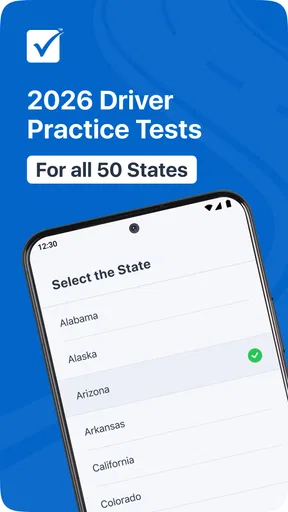
Yes, the Driver Written Test: 2026 app is designed to cater to users from all states across the US. It allows you to select your specific state to ensure the practice tests and study materials are tailored to your specific state’s requirements, providing a customized learning experience.
Does the app require an internet connection to function?
The app can function offline, allowing users to access study materials and take practice tests without an internet connection. However, an internet connection is required for updates and to access additional resources, ensuring you always have the most current information at your fingertips.
Are there any costs associated with downloading or using the app?
The Driver Written Test: 2026 app offers a free version with basic features. However, to unlock premium content such as additional practice tests, detailed explanations, and personalized study plans, users may need to make in-app purchases or subscribe to a premium version. This ensures flexibility for different user needs and budgets.


